

A cloud migration strategy is the structured plan an organization follows to move applications, data, and infrastructure from on-premises or legacy environments to the cloud.
Many enterprises begin cloud adoption only to face rising costs, stalled projects, and unclear ownership, and a cloud migration strategy prevents these issues before they start.
For large enterprises, this means deciding what should move, when it should move, where it should go, and how business continuity will be protected throughout the process.
A successful cloud migration strategy connects technology decisions with business goals, costs, security, and compliance.
In this guide, you will learn:
- The main cloud migration strategies
- How enterprise migration journeys unfold, from assessment to optimization
- The tools that simplify planning, migration, and monitoring
- Common challenges and how to avoid them
- Practical next steps to get your migration started
Why Enterprises Need a Defined Cloud Migration Strategy

Moving to the cloud without a clear plan often creates new problems instead of solving old ones. According to Flexera’s 2026 State of the Cloud Report, companies believe they waste about 29% of their cloud spending. More than half (54%) also say their biggest migration challenge is figuring out which applications depend on each other.
A clear cloud migration strategy helps you control costs, stay secure and compliant, and move away from old data centers. It also shows which workloads should move first and which should stay.
It also provides a framework for deciding which workloads should move first and which should remain where they are. Without workload-level planning and measurable success criteria, cloud spending can rise quickly while the expected business benefits will be unclear.
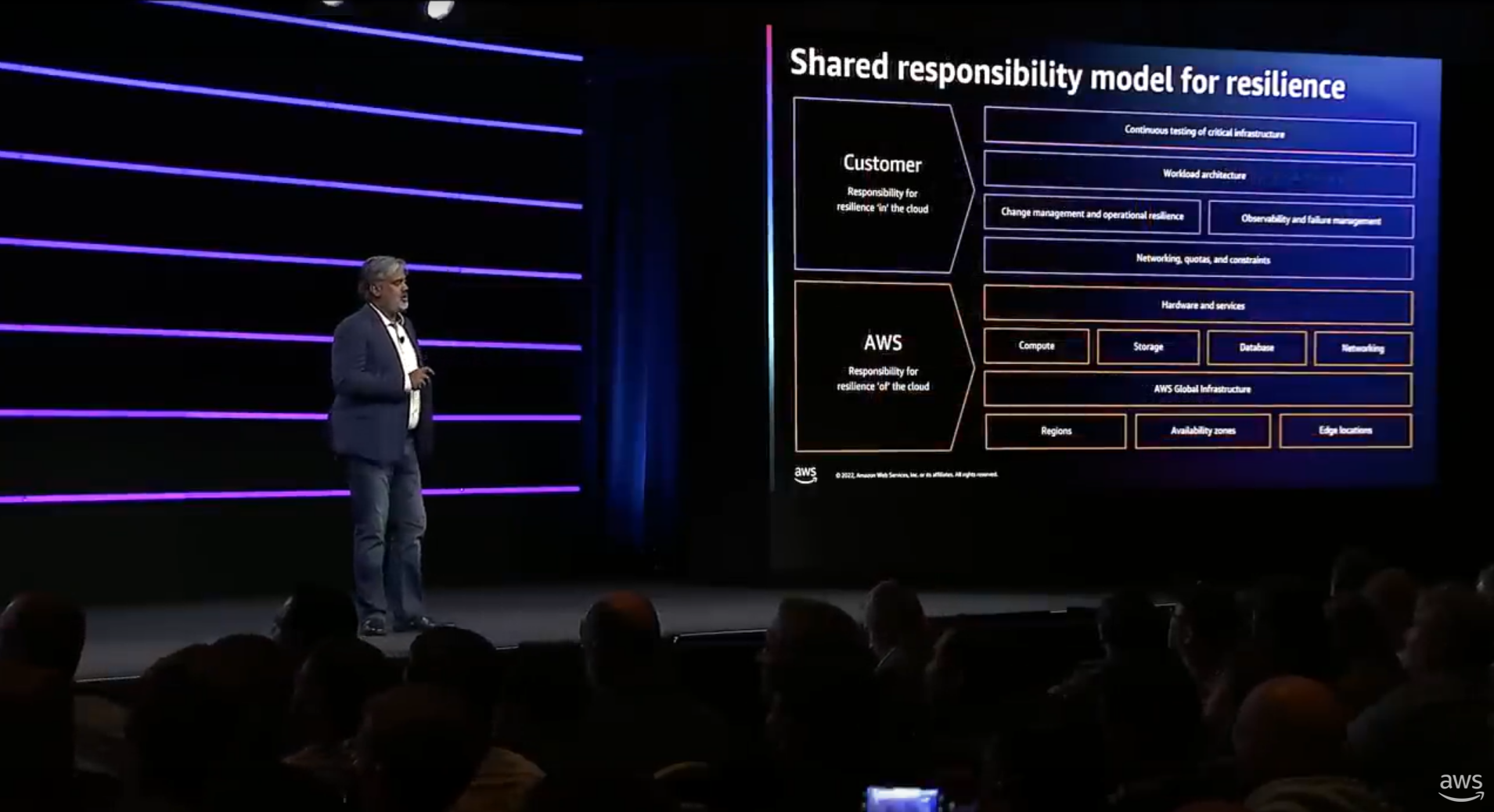
Source: AWS Capital One exited its physical data centers entirely and moved all critical workloads to AWS, cutting application infrastructure costs by up to 90% for those workloads while accelerating its ability to ship new digital products. |
Types of Cloud Migration Strategy
Not every workload should move the same way. The right strategy depends on a system’s criticality, complexity, dependencies, compliance requirements, and business value. Here are the 7R’s for any cloud migration strategy:
Retire
Decommission applications you no longer need to reduce unnecessary infrastructure and licensing costs.
Retain
Keep a workload where it is when migration offers limited value, or when regulatory, dependency, or business reasons require it.
Rehost
Move an application with minimal changes, often called “lift-and-shift”. This can provide a relatively fast route away from physical data centers.
Relocate
Move workloads at the hypervisor or platform level while making few application changes.
Repurchase
Replace an existing system with a cloud-based software service, such as SaaS.
Replatform
Move an application while making limited technical changes to improve its performance or management in the cloud.
Refactor/Re-architect
Make substantial changes to the application’s code or architecture to take greater advantage of cloud capabilities.
The Cloud Migration Journey: A Step-By-Step Roadmap
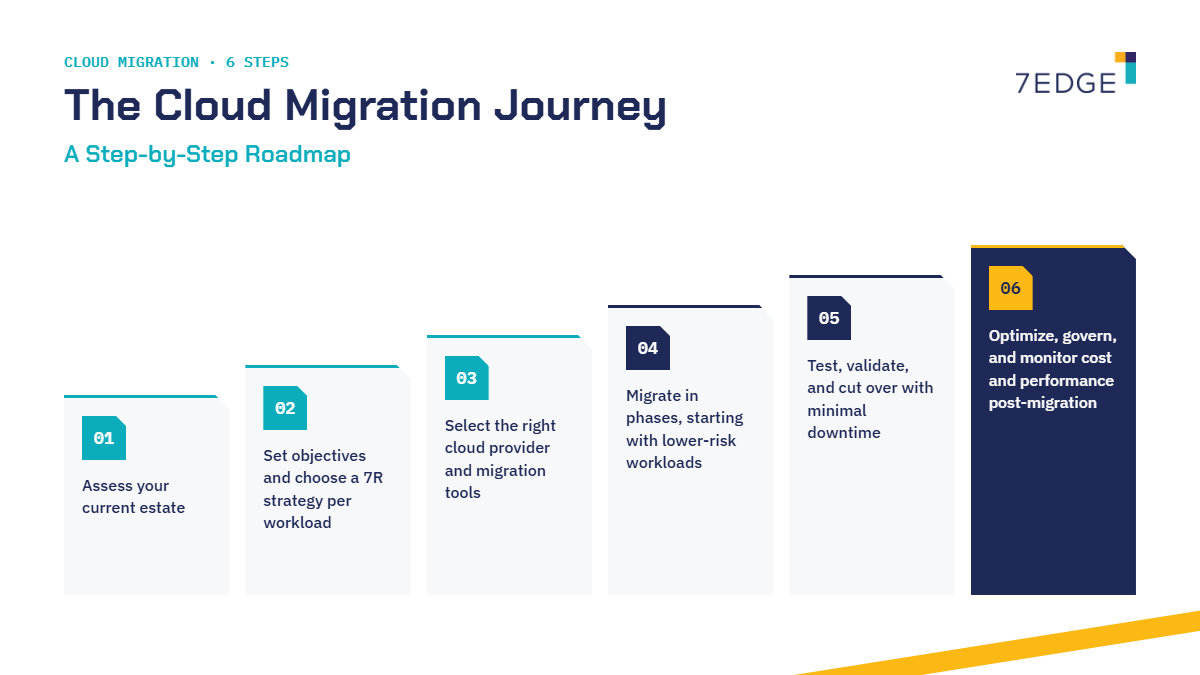
Successful enterprises don’t move everything at once. They follow a clear sequence of steps, where each one reduces risk and prepares the ground for the next. Here’s the roadmap that works best.
1. Assess your current estate
Your first step is to create these for your cloud migration strategy:
- An accurate inventory of applications
- Infrastructure
- Dependencies
- Data
- Compliance requirements
- Costs and
- Business owners.
Once you understand your starting point, you can make informed decisions about what should move first and what needs deeper assessment.
2. Set objectives and choose a 7R strategy per workload
You should define measurable outcomes and select the most suitable cloud migration strategy for each workload rather than applying one rule across the entire estate.
With your objectives defined, you can now match each workload to the right cloud migration strategy, ensuring you only invest effort where it delivers value.
3. Select the right cloud provider and migration tools
Compare capabilities, security requirements, geographical needs, commercial terms, support, and available migration tools.
With your provider and tools in place, you’re ready to plan how each workload will move and how risks will be controlled.
4. Migrate in phases, starting with lower-risk workloads
You can use migration waves to build experience, identify issues early, and reduce the risk associated with moving critical systems. By migrating in waves, you give your teams time to learn, refine processes, and reduce the chance of disruption when higher-risk systems move.
5. Test, validate, and cut over with minimal downtime
Validate functionality, data integrity, performance, security, and integrations before directing production users to the new environment. Once testing is complete, you can cut over with confidence, ensuring the ultimate users experience with minimal downtime and no loss of data.
6. Optimize, govern, and monitor cost and performance post-migration
Track usage and spending after migration, apply governance controls, and make ongoing improvements as workloads settle into their new environment.
Once the workloads are live, continuous optimization helps you:
- Control costs
- Strengthen security
- Improve performance over time.
Microsoft similarly recommends a structured migration lifecycle covering planning, preparation, execution, evaluation, and decommissioning.
Tools To Support Your Cloud Migration Strategy
Cloud migration tools can support discovery, assessment, execution, testing, cost analysis, and ongoing governance. The right combination will depend on the cloud provider, workload types, existing infrastructure, and migration plan.
| Tool category | What it supports | Example tools | |
|---|---|---|---|
Assessment and discovery | Inventory, dependency mapping, readiness and cost estimates | Azure Migrate / AWS Migration Hub | |
Migration execution | Replication, workload transfer and migration tracking | AWS Application Migration Service | |
Data migration | Database and large-volume data transfers | Azure Database Migration Service | |
Cost management | Spend monitoring, forecasting and resource optimization | AWS Cost Explorer / Azure Cost Management | |
Governance and monitoring | Performance, security, compliance and resource controls. | Google Cloud Operations Suite | |
Common Challenges in Executing a Cloud Migration
Even with a strong cloud migration strategy, enterprises often encounter obstacles during execution, and enterprise migrations can become difficult when dependencies are not fully mapped before work begins. Here are the most common challenges and how to avoid them:
| Challenge | How to overcome it? |
|---|---|
Underestimating data migration | Clean and test data early, and validate each batch after moving it. |
Disruption during cutover | Run old and new systems in parallel and move users in phases |
Cost overruns | Match each workload to the right strategy before migrating |
Skills gaps | Pair legacy experts with cloud specialists or an experienced partner. |
Unnecessary cloud spending | Set up tagging, budgets, and regular cost reviews from day one. |
Conclusion: Turn Your Cloud Migration Strategy Into a Clear Next Step
There is no single cloud migration strategy for an entire enterprise. Most large organizations need a combination of the 7 R’s, applied according to the requirements of individual workloads.
7EDGE supports enterprise cloud migration through assessment-led planning and phased execution, helping organizations establish what should move, where it should go, and how this transition can be managed. A cloud migration strategy can only become useful when you understand the estate that you are starting with.
With a clear cloud migration strategy in place, you can turn planning into action.
Ready to see where your systems stand? Take our free Estate Migration Readiness Test, a self-guided worksheet that shows exactly what stage each system is at for cloud migration.
FAQs on Cloud Migration Strategy
1. What are the 7 cloud migration strategies?
The 7 strategies are Retire, Retain, Rehost, Relocate, Repurchase, Replatform, and Re-factor/Re-architect.
2. What are the 5 different phases of cloud migration strategy?
A common five-phase model is assess, plan, prepare, migrate, and optimize, although terminology varies between providers and migration frameworks.
3. List out the top 10 cloud migration tools?
Common enterprise tools include AWS Application Migration Service, Azure Migrate, Google Cloud Migrate to Virtual Machines, AWS Database Migration Service, Azure Database Migration Service, Google Cloud Database Migration Service, AWS Migration Hub, AWS DataSync, Azure Data Box, and Google Cloud Storage Transfer Service.
How long does an enterprise cloud migration take?
There is no universal timeframe; an enterprise migration can take months or several years depending on estate size, workload complexity, dependencies, compliance requirements, migration scope, and the number of systems involved.
Originally published , updated October 21 2026


